
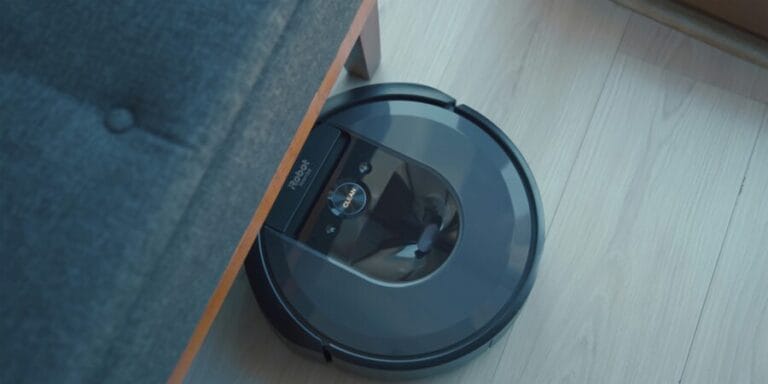

Roomba robot vacuums from iRobot typically last 3 to 5 years under normal household use. Higher-end units such as the Roomba s9 and Roomba i7 families often provide longevity at the upper end of that span, primarily because of more durable components and smarter self-maintenance features. Budget or entry units, like the Roomba 600 series, tend toward the lower end.
The lifespan of Roomba vacuums is lower than the average vacuum on the market but still typical for robot vacuums. Roomba vacuum lifespan compares well to vacuums from Tineco and Black + Decker. Lifespan is not a single number; it is influenced by how often the unit runs, environmental conditions, maintenance habits, and whether worn parts are replaced promptly. Lifespan estimates are based on a synthesis of manufacturer documentation, real-world owner reviews, and long-term reliability discussions from repair professionals and owners.
Expected Lifespan by Roomba Model
| Roomba Model Range | Typical Lifespan | Notes |
|---|---|---|
| Roomba 600 Series (e.g., 645) | 3–4 years | Basic navigation, more manual maintenance required |
| Roomba 900 Series (e.g., 960, 980) | 4–5 years | Strong suction, reliable mapping, parts readily available |
| Roomba i Series (e.g., i3, i7) | 4–6 years | Advanced navigation, self-emptying with Clean Base extends life |
| Roomba s Series (e.g., s9, s9+) | 5+ years | Top-tier components, excellent durability with proper care |
What Determines a Roomba’s Lifespan?
Daily Use Frequency
Running a Roomba twice daily in a large, cluttered home puts more strain on motors and batteries than a once-daily run in a small apartment. High cycle counts accelerate wear on brushes, wheels, and the battery.
Surface Type
Hard floors are less taxing on the Roomba’s drive system than thick carpeting. Carpet increases motor load, accelerates brush wear, and stresses the battery. If your home is mostly carpet, expect the lower end of lifespan ranges.
Dust and Pet Hair Load
Homes with pets drastically reduce component life. Roombas in high-hair environments clog filters and brush bearings, reducing airflow and stressing the vacuum system. Frequent cleaning is essential.
Maintenance Practices
A cleaned filter, brush, and wheel assembly reduces strain on moving parts. Battery care matters too: letting a Roomba sit completely discharged for extended periods can permanently reduce battery capacity.
Firmware and Mapping
Models with smart mapping (980, i7, s9) can avoid obstacles and optimize routes, reducing unnecessary operational cycles and physical bumps into furniture, which in turn extends mechanical life.
Key Components and Typical Replacement Intervals
Learn more about how these components wear and how to troubleshoot their failures in our article here. Check out this article to see how much their repairs will cost.
Battery
Roomba batteries are consumables. Most lithium-ion batteries last 300–500 charge cycles. In daily use, that typically equates to 1.5–3 years before noticeable capacity loss. Higher-end models often ship with larger cells that hold up better over time. Check out our full troubleshooting guide for this issue here.
Tips to Extend Battery Life
- Keep the Roomba charged when idle instead of storing it discharged.
- Avoid high heat environments; heat accelerates battery wear.
- Replace batteries from iRobot or reputable third-party sellers when capacity drops below 50 percent of original runtime.
Brushes and Extractors
Main brushes and side brushes wear with use. On carpeted floors or homes with pets, brushes may need replacement every 3–6 months. Some Roombas use tangle-free rubber extractors (e.g., i7 and s9) that resist hair wrap better and thus last longer.
Filters
Filters trap dust and allergens but clog over time. Replace filters every 2–3 months in homes with pets or high dust.
Wheels and Sensors
Cliff sensors and caster wheels rarely fail but do accumulate dust. Clean wheel treads and sensor windows monthly to prevent navigation errors. These parts typically last the life of the robot if kept clean.
Maintenance Schedule for Longer Life
Daily or After Every Run
- Empty the dustbin (or verify Clean Base empties).
- Check for hair around the main brush area.
Weekly
- Clean side brushes.
- Wipe cliff sensors.
- Clear debris from wheels.
Monthly
- Wash or replace filters if washable (follow model guidance).
- Inspect and remove debris from extractors.
Every 3–6 Months
- Replace brushes and filters.
- Evaluate battery runtime; plan replacement if capacity is significantly reduced.
How Usage Scenarios Affect Lifespan
Low Use (1 Run/Day)
Homes with minimal traffic and hard floors see the best lifespans. Under these conditions, a Roomba s9 or i7 can last beyond 5 years with battery replacement and part refreshes.
Moderate Use (2 Runs/Day)
This is typical of many households. Expect the average Roomba (e.g., 900 series) to reach 4–5 years with consistent maintenance.
Heavy Use (3+ Runs/Day or Pets)
Lifespans shorten to the 3–4 year range unless maintenance is rigorous and parts are replaced proactively.
When to Replace Your Roomba
Signs a Roomba has reached end of life include:
- Battery holds under 50 percent of original runtime after full charge.
- Navigation repeatedly fails despite cleared sensors.
- Motors produce unusual noises or fail to spin brushes.
- Clean Base or docking no longer functions reliably.
If multiple major components are failing and repair costs approach or exceed 50 percent of a new unit price, replacement often makes economic sense.
Common Misconceptions
“Roombas Quit Without Warning”
Not true. Most components degrade over time with measurable signs like shorter battery runtime or navigation hiccups before complete failure.
“All Roombas Are Expensive to Maintain”
Basic maintenance parts (filters, brushes) are inexpensive. Batteries are the largest recurring cost but generally last multiple years.
“Self-Emptying Means No Maintenance”
Even Roomba models with Clean Base require filter and brush care. Self-emptying reduces dustbin handling but does not eliminate other maintenance tasks.
Conclusion
Roomba vacuums offer solid durability when matched to a home’s use case and maintained on a schedule. Across model lines:
- 600 Series: ~3–4 years
- 900 Series: ~4–5 years
- i / s Series: ~4–6+ years
Focused maintenance, especially for battery health and debris management, is the greatest determinant of how long a Roomba will last in your home.