
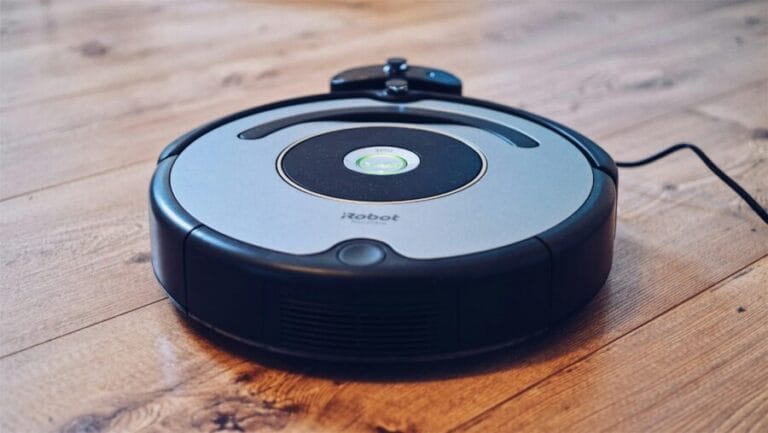

Roomba robot vacuums rarely suffer sudden, catastrophic failure. In most cases, performance declines slowly as resistance increases in mechanical systems or electrical feedback drifts outside normal limits. By the time a Roomba displays an error or stops mid-clean, the underlying issue has usually been developing for weeks or months.
From a technician’s perspective, Roombas are relatively straightforward machines. They rely on consistent airflow, predictable wheel movement, and clean sensor input. When any one of those systems degrades, the vacuum compensates at first, then begins to fail more visibly. With proper maintenance, Roomba vacuums typically last 3 to 5 years.
Most Common Roomba Problems and Root Causes
| Issue | Typical Symptoms | Primary Cause | Technician Focus |
|---|---|---|---|
| Battery degradation | Short runtime, repeated docking | Cell wear from charge cycles | Voltage drop under load |
| Brush not spinning | Loud grinding, debris left behind | Hair in bearings, motor drag | Resistance and current draw |
| Wheel errors | Spins in place, stops abruptly | Encoder or gearbox wear | Encoder feedback consistency |
| Cliff sensor faults | Random stops, avoids dark floors | Dust or sensor drift | Sensor output stability |
| Charging problems | Won’t charge, docking failures | Dirty contacts or dock faults | Charge current verification |
| Weak suction | Poor pickup, overheating | Restricted airflow | Airpath inspection |
| Navigation issues | Missed areas, erratic paths | Dirty camera or sensors | Optical clarity and alignment |
Battery Degradation and Power Loss
Battery wear is the single most common Roomba failure. Lithium-ion cells slowly lose capacity as they accumulate charge cycles. Early on, this shows up as shorter cleaning runs. Later, the Roomba may return to the dock multiple times during a single job or fail to complete mapped rooms.
Technicians evaluate battery health by measuring voltage sag under load rather than open-circuit voltage alone. A battery can appear fully charged yet collapse quickly when motors engage. Any internal inspection always begins with disconnecting power before testing.
Battery failure is rarely sudden. Most owners notice declining runtime long before the Roomba becomes unusable, which makes this one of the more predictable issues.
Brush Module and Extractor Resistance
Brush-related problems often masquerade as suction issues. Hair, string, and fine fibers wrap around brush bearings inside the module, not just around visible brush surfaces. As friction increases, the brush motor draws more current, heats up, and eventually fails.
Newer Roombas with rubber extractors handle hair better than older bristle designs, but they are not immune. Rubber extractors still rely on bearings and drive couplers that wear over time.
Technicians remove the entire brush module, clean it thoroughly, and spin the motor shaft manually. If resistance remains or noise persists, the module is replaced as a unit rather than rebuilt. This avoids repeat failures caused by partially worn components.
Wheel Module and Drive System Errors
Wheel errors are among the most disruptive Roomba failures. Each drive wheel contains a motor, gearbox, and encoder that reports movement back to the control system. When encoder signals become inconsistent, the Roomba may spin in circles, back up repeatedly, or stop altogether.
Debris inside the wheel can cause short-term issues, but true wheel errors usually indicate internal wear. Gearbox wear changes rotational smoothness, while encoder degradation creates false movement data.
Technicians focus on encoder feedback stability rather than just motor operation. If feedback is erratic, replacing the entire wheel module is the standard solution.
Cliff Sensor and Floor Detection Problems
Cliff sensors prevent falls down stairs by emitting and receiving infrared light. Dust buildup, reflective flooring, or degraded sensor output can cause false cliff detection. This often appears as random stopping or refusal to enter certain rooms.
Dark flooring is a frequent trigger, but true sensor faults still occur with age. Technicians clean sensor lenses first, then test sensor output values. If readings remain inconsistent, the sensor board is replaced.
Because cliff sensors directly affect safety logic, Roombas tend to shut down aggressively when these readings fall outside expected limits.
Charging and Docking Failures
Charging problems usually trace back to contact resistance rather than battery failure. Oxidized charging contacts reduce current flow, causing intermittent charging or repeated docking attempts.
Technicians clean contacts on both the dock and the robot, then verify dock output voltage and charging current. Internal inspection requires disconnecting power before measuring charge response.
Dock electronics failures do occur, but they are less common than contact issues. When a dock fails electrically, replacement is typically more reliable than board-level repair.
Suction Loss and Airflow Restrictions
True vacuum motor failure is relatively rare compared to airflow restriction. Filters clogged with fine dust reduce airflow, which forces the motor to work harder and run hotter. Over time, this shortens motor life.
Technicians inspect the entire air path, including filters, dustbin seals, and fan housings. Many suction complaints are resolved by restoring airflow rather than replacing the motor.
When motors do fail, symptoms include high-pitched noise, overheating, or complete loss of suction. At that stage, replacement is the only durable solution.
Camera-based Roombas rely on clear optical input for navigation. Dust on the camera lens or sensor windows causes missed rooms, inefficient paths, and repeated cleaning of the same area.
Technicians clean optical components and recalibrate navigation systems before suspecting electronic faults. Firmware-related navigation problems are uncommon but occasionally resolved through resets or updates.
Because navigation errors do not immediately stop cleaning, they often go unnoticed until coverage becomes noticeably inconsistent.
Manufacturer Service vs Independent Repair
iRobot offers warranty service and replacement programs that work well during the coverage period. Under warranty, units are often replaced rather than repaired, which minimizes downtime for owners.
Out of warranty, manufacturer service can become expensive. Flat-rate replacement programs may approach the cost of a new vacuum, especially for older models. Turnaround times are also longer due to shipping and processing.
Independent repair focuses on modular component replacement rather than full unit exchange. Batteries, brush modules, wheels, and sensors are commonly serviced individually, keeping costs lower and repairs more targeted. Parts availability is generally good because Roombas use consistent designs across model generations.
From a technician’s standpoint, independent repair provides more flexibility. Components are replaced only when confirmed faulty, rather than bundled into a full replacement decision. Check out this article to see how much common Roomba repairs cost.
Practical Takeaway
Roomba troubleshooting is largely about identifying resistance, airflow restriction, or unreliable feedback. Most issues develop slowly and present clear symptoms before total failure. Batteries, brushes, wheels, and sensors account for the majority of service cases, while control electronics fail far less often.
Owners who recognize early warning signs and address them promptly tend to experience fewer major failures and more predictable long-term performance.