
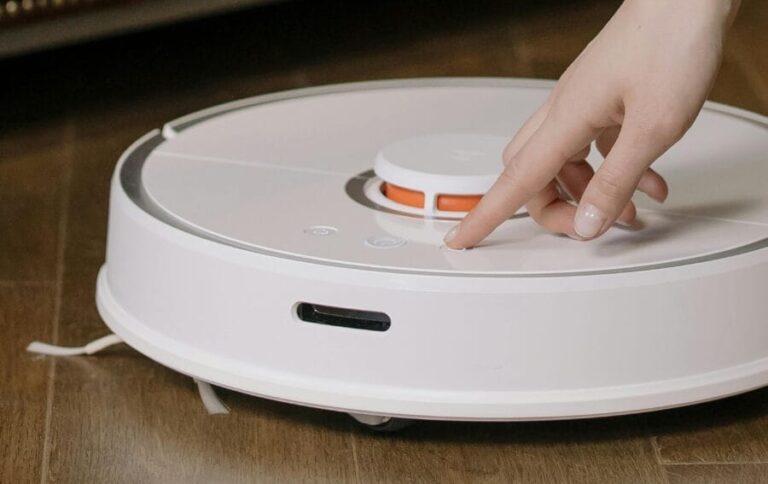

Roomba robot vacuums rely heavily on battery health. Unlike upright vacuums that run continuously for short periods, a Roomba charges and discharges daily, often multiple times per cleaning cycle. That constant cycling is what ultimately limits battery lifespan.
In service work, I see that battery-related complaints account for more calls than any other Roomba issue. Brushes, wheels, and sensors wear too, but battery degradation directly affects runtime and navigation, making it far more noticeable to owners.
Battery failure is also gradual. Roombas rarely stop working overnight due to a bad battery. Instead, performance slowly declines until cleaning becomes unreliable. If your Roomba has a different issue, check out our full Roomba troubleshooting guide.
Common Symptoms of Roomba Battery Failure
Technicians usually hear the same complaints when battery issues begin:
- Cleaning time has dropped significantly
- Roomba returns to the dock before finishing rooms
- Multiple recharge attempts during a single run
- Unit shuts off before reaching the dock
- “Please charge Roomba” messages despite recent charging
These symptoms worsen over weeks or months. Owners often assume a navigation or software issue at first, but battery degradation is the underlying cause in most cases.
How Technicians Confirm Battery Failure
Battery diagnosis is more involved than simply checking charge percentage. A degraded battery can show full charge but collapse under load.
Technicians typically follow this process:
- Observe runtime behavior during a full cleaning cycle
- Confirm the unit docks and begins charging normally
- Disconnect power before opening the unit for internal testing
- Measure battery voltage at rest
- Measure voltage drop while motors are running
Healthy batteries maintain voltage stability under load. Failed batteries show rapid voltage sag as soon as the drive motors or vacuum motor engage.
If voltage drops sharply or fluctuates, battery replacement is confirmed.
Why Roomba Batteries Wear Out
Several factors accelerate battery degradation:
Charge Cycle Accumulation
Roombas may charge multiple times per cleaning session. Over a year, this adds up to hundreds of cycles.
Heat Exposure
Running on carpet, clogged filters, or restricted airflow increases internal temperature, which shortens battery life.
Storage Conditions
Leaving a Roomba completely discharged for extended periods causes irreversible capacity loss.
Age
Even lightly used Roombas experience chemical aging inside the battery pack over time.
Most Roomba batteries reach noticeable capacity loss between 18 and 36 months.
Battery Replacement Overview
Battery replacement is considered a standard service procedure. Roombas are designed for modular battery access, which keeps repair time reasonable and consistent across models.
From a technician standpoint, replacing the battery restores performance immediately if no secondary issues are present. Check out this article to see how much this repair may cost.
Step-by-Step Battery Replacement Procedure (Technician Method)
This outlines how a technician performs the repair. Any internal work always begins with disconnecting power.
Accessing the Battery
The Roomba is placed upside down on a clean surface. Screws securing the bottom cover are removed. On most models, the battery is immediately visible once the cover is lifted.
Technicians inspect for debris or moisture before proceeding.
Disconnecting the Old Battery
The battery connector is unplugged from the control board. Technicians avoid pulling on wires directly and instead release the connector housing to prevent damage.
The battery is then lifted out of its compartment.
Inspecting the Battery Bay
Before installing a new battery, technicians inspect:
- Connector pins for corrosion
- Battery bay for debris
- Wiring for heat damage
Any contamination is cleaned before proceeding. Installing a new battery into a dirty or damaged bay can cause charging problems later.
Installing the Replacement Battery
The new battery is seated flat in the compartment and connected firmly. Proper connector alignment is critical. A loose connection can mimic battery failure symptoms.
The bottom cover is reinstalled and screws are torqued evenly to avoid warping the housing.
Initial Charge and Calibration
After replacement, the Roomba is placed on the dock and allowed to charge fully without interruption. Technicians often recommend a full cleaning cycle afterward to help the system recalibrate runtime estimates.
Post-Repair Testing
Once charging completes, technicians verify:
- Charging indicator behavior
- Full cleaning cycle completion
- Normal docking behavior
- Stable runtime without premature shutdown
If runtime returns to normal, the repair is complete. If issues persist, technicians investigate secondary causes such as wheel resistance or airflow restriction.
Common Mistakes That Cause Repeat Battery Problems
Technicians frequently see battery replacements fail prematurely due to avoidable issues:
- Installing low-quality third-party batteries
- Ignoring clogged filters that overheat the unit
- Failing to clean charging contacts
- Storing the Roomba discharged for long periods
Battery replacement solves the symptom, but supporting maintenance determines how long the fix lasts.
How to Maximize Battery Life After Replacement
Technicians typically recommend:
- Keeping filters clean to reduce motor load
- Allowing the Roomba to remain docked when not in use
- Avoiding storage in hot environments
- Running consistent cleaning schedules rather than sporadic heavy use
With proper care, replacement batteries often match the lifespan of the original pack.
When Battery Replacement Does Not Solve the Problem
In a small percentage of cases, battery replacement does not restore runtime. When that happens, technicians look for:
- Drive wheel resistance increasing current draw
- Vacuum motor wear causing voltage collapse
- Charging dock faults limiting charge capacity
Battery failure is common, but it is not the only cause of short runtime. Proper diagnosis prevents unnecessary repeat repairs. Roomba’s typically last 3-5 years, so at a certain point continued battery replacement may not be worth the cost. For appliances nearing the end of their expected lifespan, our Repair or Replace Tool can help determine whether continued repairs are still worthwhile.
Summary
Battery failure is the most frequent Roomba repair because it is tied directly to daily use patterns. The symptoms are predictable, diagnosis is reliable, and replacement restores function in most cases.
When handled correctly, battery replacement is one of the most effective ways to extend a Roomba’s usable life and restore cleaning performance without deeper mechanical intervention.